MakeAPage · Online photo page maker
Give your family the story behind the photo
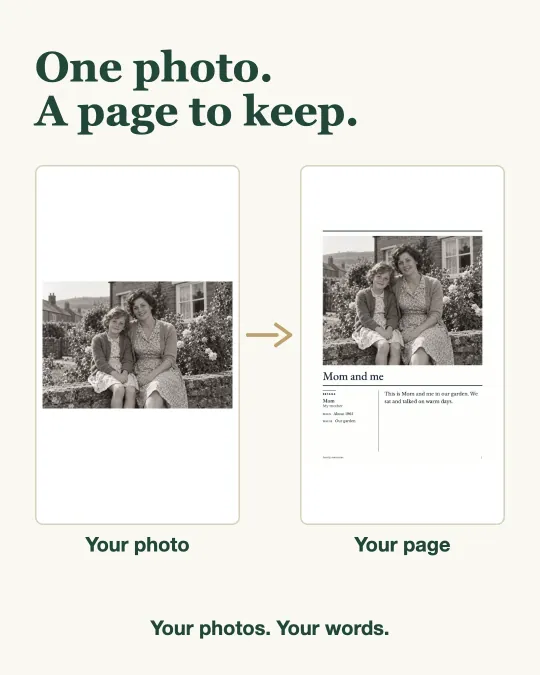
See how one photo becomes a page in the three steps above.
$39 USD · Pay once
Get the online photo page maker plus story sheets, photo lists, and help guides.
- Add a photo.
- Type names and your story.
- Save or print your page.
Use your phone or computer. Save pages and edit them later.
Save a PDF to share, print at home, or use a print shop. Printing is separate. No book is mailed.
Checkout is on Whop. Then open My saved pages here and sign in with the email you paid with and the code we email you.
Help and refund requests
Email us within 30 days to ask for a refund. Include your purchase email and payment date. Whop checkout shows the full refund terms.
Email MakeAPage supportWhat comes with it?
- The online photo page maker
- Story sheets and photo lists
- Help guides
Pay once. No monthly bill.
What if I do not know what to write?
Start with the name and one thing you remember. The included story sheets give you prompts to get started.
Can I use paper photos?
Yes. Take a clear photo of it. Add that copy.
Who prints the page?
You do. Use your printer or pay a print shop.
How do I get in after I pay?
- Tap My saved pages.
- Use the email you paid with.
- Type the code we send.
Help
Need a hand?
Ask us about pages, files or payment.
Email uspawsofjoy0@gmail.com
Quick answers
How do I open my builder?
Tap My saved pages. Use the email you paid with. Type the code we send.
Where are my guides?
Open your order on Whop. Tap Files.
Can I use my phone?
Yes. Use this site on your phone. The extra file for use with no web needs a computer.
How do I print my page?
Tap Print / PDF. Save a file or print your page. No book is mailed.
How you make your first page
See the six picture steps
See the finished page
This shows the real page maker. The photo and story are samples.
What story will you keep?
Who is in this photo?
Add each name and what you remember.
Mom and me.
One photo. A few words to keep.
You when you were young.
Add a photo from back then.
These are made-up people and stories. AI made the photos.
Have a question?
How do I get my files after I pay?
To make a page
- Tap My saved pages.
- Use the email you paid with.
- Type the code we email you.
To get your help files
- Open your order on Whop.
- Tap Files.
Can I use my phone?
Yes.
Use your phone or computer.
A computer has more room.
The extra file for use with no web needs a computer.
How do I save and come back?
Save your page before you leave.
Next time, tap My saved pages.
Use the email you paid with and the code we send.
Tap Download private backup to keep a spare copy.
Where do my pages stay?
Saved pages stay in your account on this site.
Files you save to your phone stay there.
Keep a spare copy.
Sign out on a shared phone or computer.
How do I get help or my money back?
Email us within 30 days to ask for a refund.
Send the email you paid with and the date you paid.
The pay page has the full refund terms.
Make a page to keep or share.
Get the page maker and help files.
$39USD · Pay once · Help files too
- You add the photos and words.
- You print your own copies. We do not mail a book.
Pay on Whop. See refund terms on the pay page.